 Simple Household Budget
Budget app for Android
Simple Household Budget
Radically simple. Adding an expense means: type the amount, tap Save. One large number shows how much is left this month after your fixed costs. No account, no bank connection, no cloud.
Get it on Google Play
The principle
The aim: the simplest budget app there is
Every new feature has to pass one test: is adding an expense still as quick as before? If not, it doesn't go in.
- One required field per expense. The amount – everything else is optional.
- One number instead of a dashboard. The home screen shows what's still available this month – fixed costs already deducted.
- Rare things come later. The app doesn't ask for a date or note when you add an expense – add them to the entry if you need them.
- Nothing to manage. No account, no password, no bank connection, no subscription.
The method behind it, with or without the app: How to keep a simple household budget.
Record
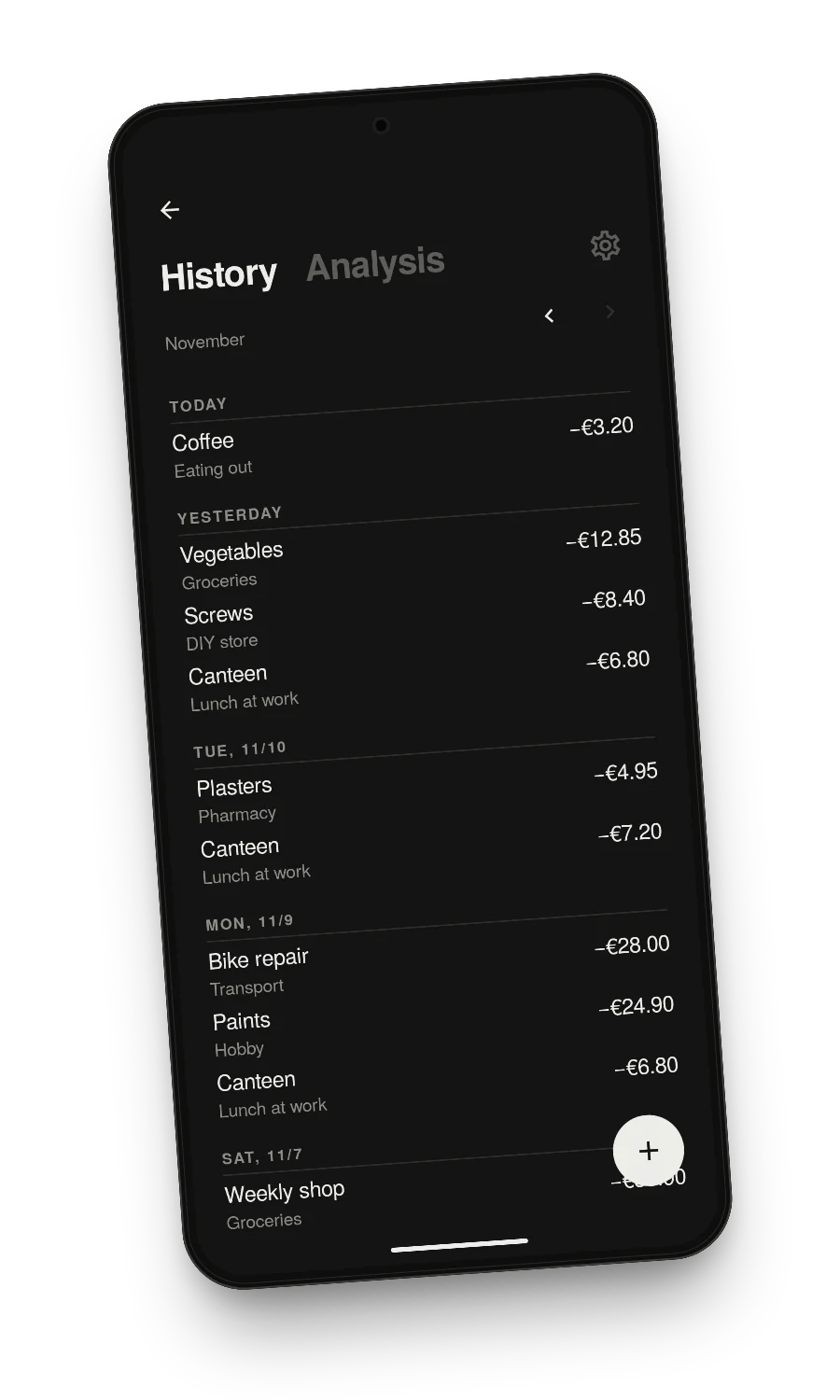
An expense in two taps
Type the amount, tap Save – nothing else is required. Category, description, date and note are optional, and you can add them to the entry later.
Right after saving, Undo appears in case you mistyped. Forgotten expenses can be added later in the history, with date and time.
Receipts
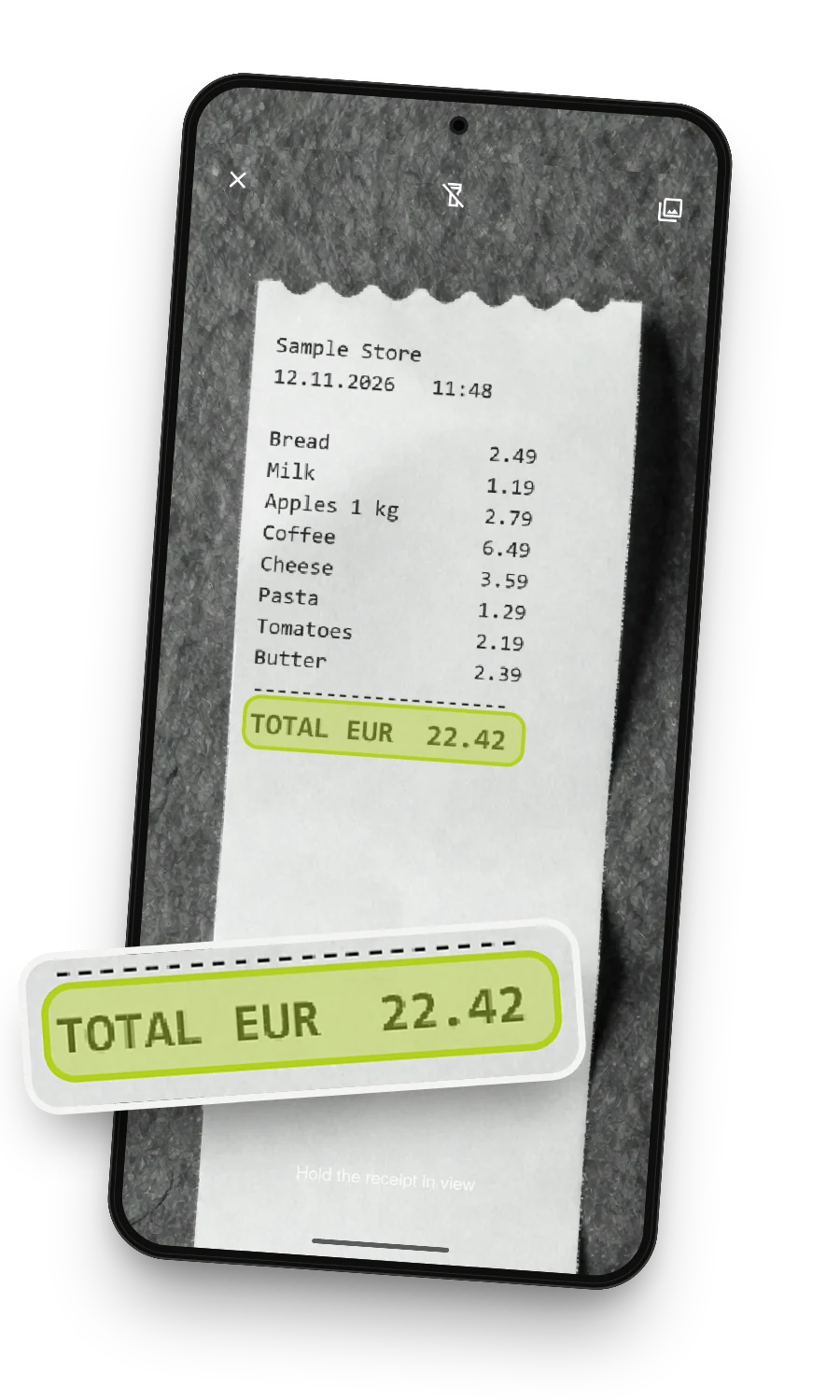
Hold it up to the camera instead of typing
Tap the camera icon and hold the receipt in view. The app reads the total, the shop, date and time and fills them in.
Text recognition runs on your phone. The image is neither stored nor sent anywhere.
Fixed costs
Enter them once, then forget them
Rent, electricity, insurance, subscriptions: during setup the app asks for one item at a time – leave it empty if you don't have it. Yearly costs such as liability insurance get a due date.
From then on the app deducts your fixed costs every month by itself. The large number on the home screen is what you really have left.
Analysis
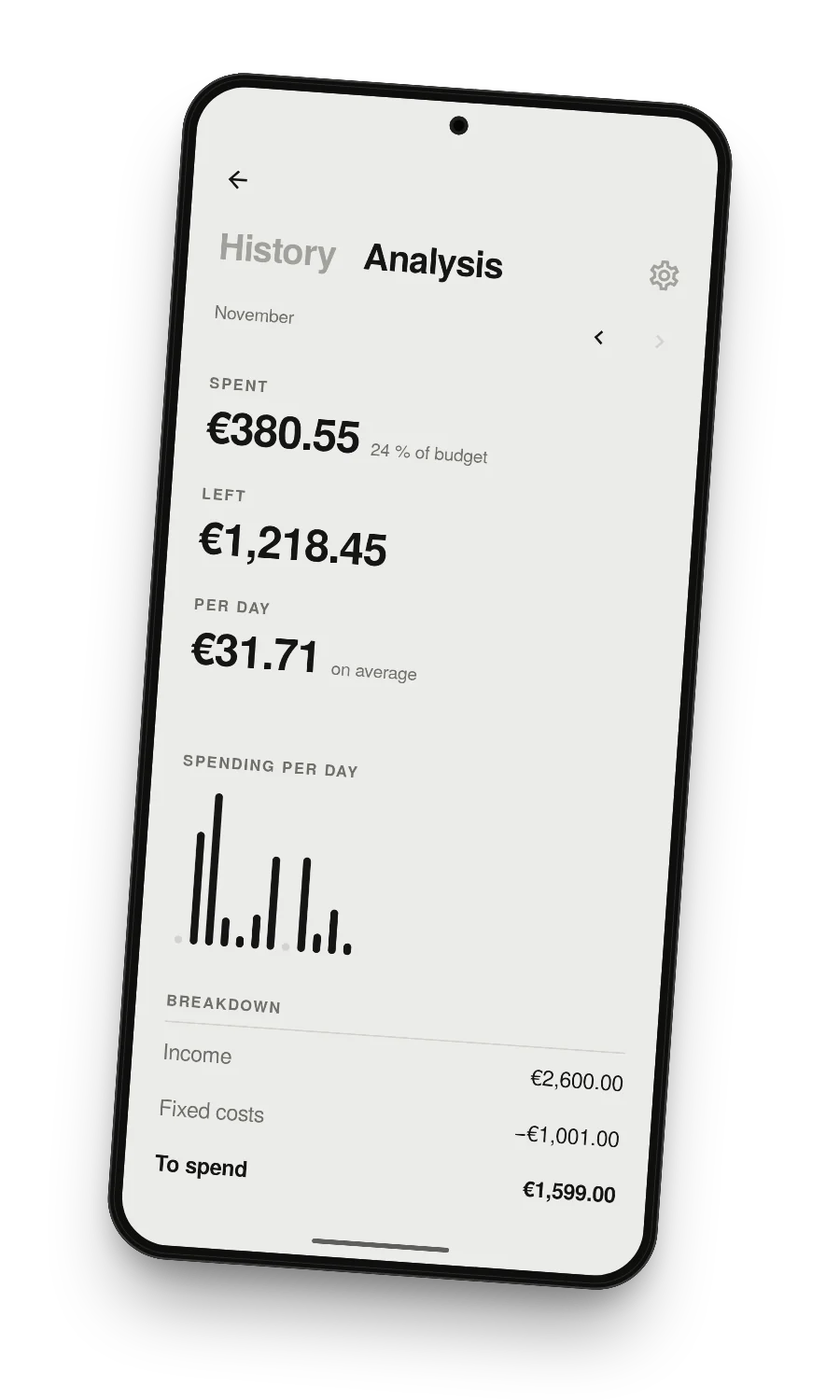
The whole month in three numbers
Spent, left, average per day. Plus a chart by day and the breakdown of your month: income, fixed costs, to spend.
No dashboards, no twelve charts. What's left can roll into the next month if you want.
Your numbers stay on your phone
Everything you enter lives only on your device. There is no server your finances could end up on.
- No account, no sign-in – open the app and start.
- No bank connection – you never enter login details anywhere.
- No cloud, no usage statistics, no crash reports. That also means no sync between devices.
- Ads from day seven: one banner at the top of the home screen. The ads never see a single number from your budget. A one-time purchase removes them for good – there is no subscription.
- 26 languages, from Arabic to Vietnamese – including English, German, Spanish, French, Portuguese and Indonesian. The currency follows your region.
Guides to your monthly budget
Useful with or without the app: work out a daily budget, list your fixed costs, plan for yearly bills.
- How to keep a simple household budget – no spreadsheetThree numbers, no categories: the smallest version that still works.
- How much can I spend per day?Your daily budget in three steps – at the start of the month and halfway through.
- Fixed expenses list: what counts, and what's left?A checklist of typical items and the sum that tells you what remains.
- How to fit yearly bills into a monthly budgetInsurance, car tax and annual fees: two methods so no month suddenly runs dry.
- A budget app without bank linking or sign-upWhat you gain, what you give up and how to check an app before installing it.
- Budgeting from payday to paydayPaid on the 15th or the 28th: line your budget month up with payday.
- Money left at the end of the month – or not enough?Roll over, save or start fresh: what to do with the rest, and what helps after overspending.
- How to track expenses and stick with it: 7 tipsWhy most people give up after two weeks – and how to make it last.
Questions
What does the app cost?
You can use it with ads. From the seventh day it shows one banner at the top of the home screen. The one-time purchase “Remove ads” switches it off for good; there is no subscription.
Do I need an account or my bank details?
No. There is no sign-in and no bank connection. You enter income, fixed costs and expenses yourself, and everything stays on your phone.
Do I have to pick a category for every expense?
No. Only the amount is required. Category, description and note are optional. When you type a description, the app suggests a matching category – learned from your own entries, on the device only, and it can be switched off.
Can I use the app on two phones?
No. Because there is no cloud and no server, the app doesn't sync between devices. That's the price of your numbers never leaving your phone.
What happens to money left over at the end of the month?
You decide in the settings: “Carry surplus over” moves what's left into the next month, “Carry shortfall over” deducts a deficit next month. Each can be switched on or off. More: Money left at the end of the month.
Is Simple Household Budget available for iPhone?
No. Simple Household Budget by Nice Developments is only available for Android, on Google Play.
Know what's left. Without effort.
One number, one bar, two taps per expense. For Android.
Get it on Google Play