 Simple Household Budget
A budget app without bank linking or sign-up
A budget app without a bank connection or account keeps everything on your phone. In return you enter expenses yourself, and there's no sync between devices. Whether an app keeps that promise shows on Google Play under “Data safety” – and in whether it asks you to create an account on first launch.
Updated: November 2026
Why skip the bank connection?
Apps that link to your bank import transactions automatically. Convenient – but you hand login details to a service, and your account activity sits on someone else's servers. Many people don't want that for a household budget.
There's a second reason: entering it yourself makes you notice what you spend. Automatic import tells you at the end of the month where the money went. Typing it in tells you at the moment you pay.
What you give up
| With bank link | Without bank link | |
|---|---|---|
| Recording expenses | automatic, with a delay | you enter them, instantly |
| Cash | usually missing | entered the same way |
| Login details | go to the service | stay with you |
| Data | on servers | on your phone |
| Several devices | usually possible | usually not |
The effort depends almost entirely on how many fields an app asks for per expense. If you have to pick category, account and date every time, you'll give up after two weeks. If only the amount is required, an entry takes a few seconds.
How to check an app before installing
- Open the “Data safety” section on Google Play. It lists what data the app collects and whether it shares it. Look for “Financial info”.
- Look for an account or sign-in. If the description mentions registration, login or cloud sync, your data doesn't stay only on your phone.
- Mind the ads. Ad-funded apps include an ad network. What matters is whether the ads learn anything from your entries – the privacy policy should answer that clearly.
- Read the privacy policy. A good one says in a few sentences what leaves the device and what doesn't.
Making manual entry painless
- Enter it right away, at the till – ten seconds instead of an hour on Sunday.
- Only the amount is required. Category and description only if they mean something to you.
- Add forgotten ones later instead of abandoning your budget. One missing coffee doesn't distort anything.
More: how to keep a budget and stick with it.
With the app
How Simple Household Budget handles it
- No account, no sign-in, no bank connection. Income, fixed costs, expenses and settings live only on your phone.
- No cloud, no usage statistics, no crash reports – and so no sync between devices.
- Receipt scanning on the device: text recognition runs on the phone; the image is neither stored nor sent.
- Ads: from day seven, one banner from Google that never sees a number from your budget. A one-time purchase removes it.
All the details: privacy policy.
Get it on Google Play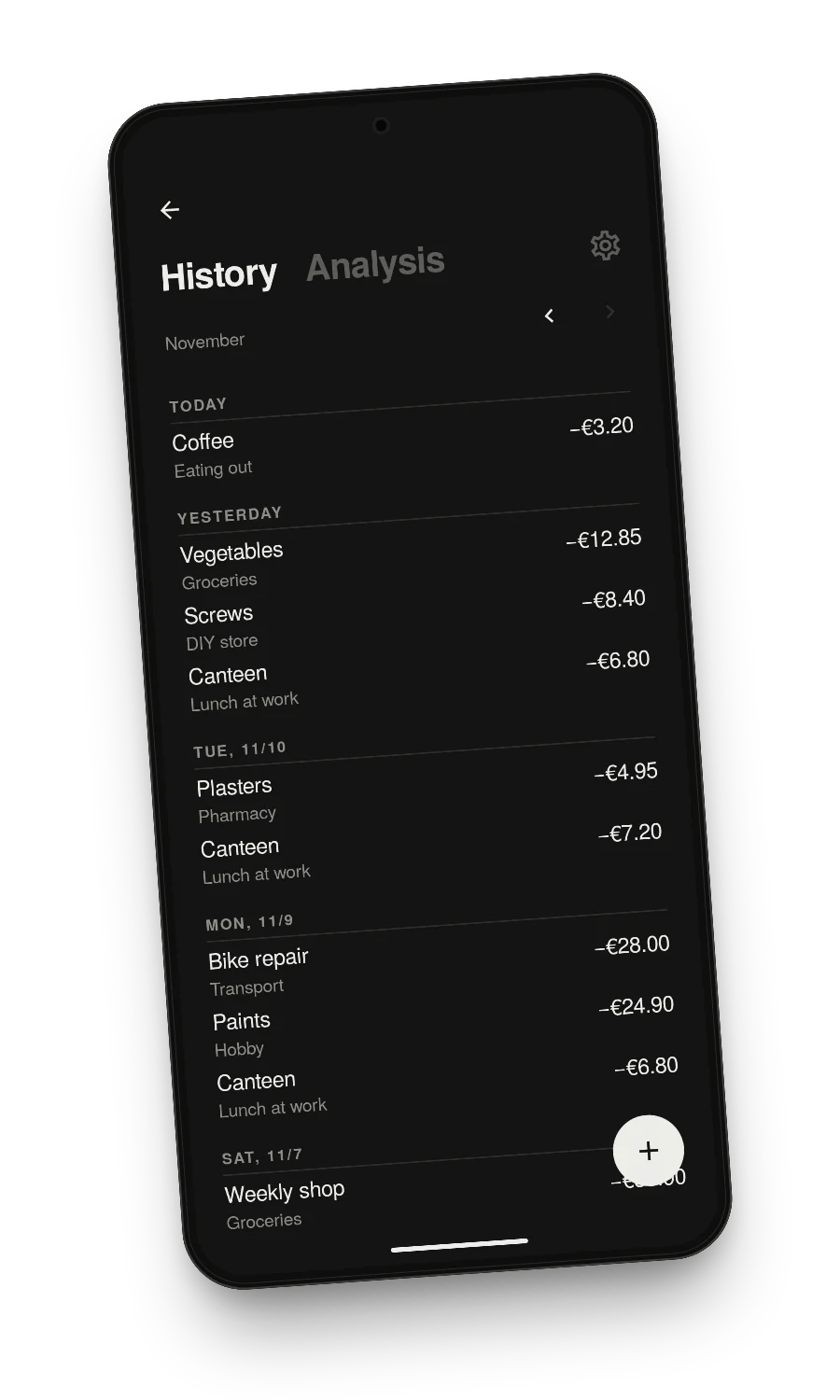
Questions
Is a budget app without bank linking safer?
It hands over less: no login details, no transactions on other people's servers. You should still protect your phone itself with a screen lock.
What happens to my data when I change phones?
With an app without cloud, data doesn't move over automatically. Before switching, check whether the app offers a backup or export, or start fresh with the new month.
Does such an app work without internet?
The budget itself needs no internet. In ad-funded apps only the ad banner loads something from the web.