 Simple Household Budget
Which receipts to keep, scan or throw away
Most receipts can go once the expense is written down. Keep the ones for expensive purchases (warranty, returns) and anything you need for your taxes. Because thermal paper fades, it's worth backing up those few as a photo or scan. Most shop receipts are thermal paper, which in many places belongs in general waste rather than paper recycling – check your local rules.
Updated: November 2026
Which receipts to keep
| Receipt | Why | Roughly how long |
|---|---|---|
| Electronics, furniture, appliances | warranty or legal guarantee | at least until the warranty or guarantee period ends |
| Clothes, gifts | returns | until the shop's return period ends |
| Work equipment, tax-deductible expenses | tax return | as long as your tax authority can ask for proof |
| Everyday shopping | none, once written down | – |
Rules for guarantees and tax records differ by country – in the EU, for example, the legal guarantee on goods is at least two years. If in doubt, check your country's consumer or tax authority.
Why receipts fade
Most receipts are printed on thermal paper. Heat, light and friction make the print disappear over time – in a wallet often within a few months. If you'll need a receipt in two years, back it up as a photo or scan too.
How to digitise the receipts that matter
- Photograph it right after buying – laid flat, good light, the whole receipt in view.
- Name it sensibly: date, shop, item, e.g. “2026-11-24 electronics store washing machine”.
- Keep it in one place – a “Receipts” folder in your cloud or photo storage, split by year.
- Keep the original too until the warranty or return period is over. Some manufacturer warranties ask for the original.
How to dispose of receipts
Thermal paper has a chemical coating that interferes with paper recycling, so many local authorities ask for it to go in general waste. A quick test: scratch the receipt with a fingernail – if a dark line appears, it's thermal paper. Plain-paper receipts can usually be recycled.
With the app
Receipts in Simple Household Budget
For your budget you don't need to type receipts in: tap the camera icon and hold the receipt in view. The app reads the total, the shop, date and time and fills them in – you just tap Save. Text recognition runs on your phone.
Important: the app is not a receipt archive. The image is neither stored nor sent anywhere. Back up receipts for warranties and taxes separately, as described above.
Get it on Google Play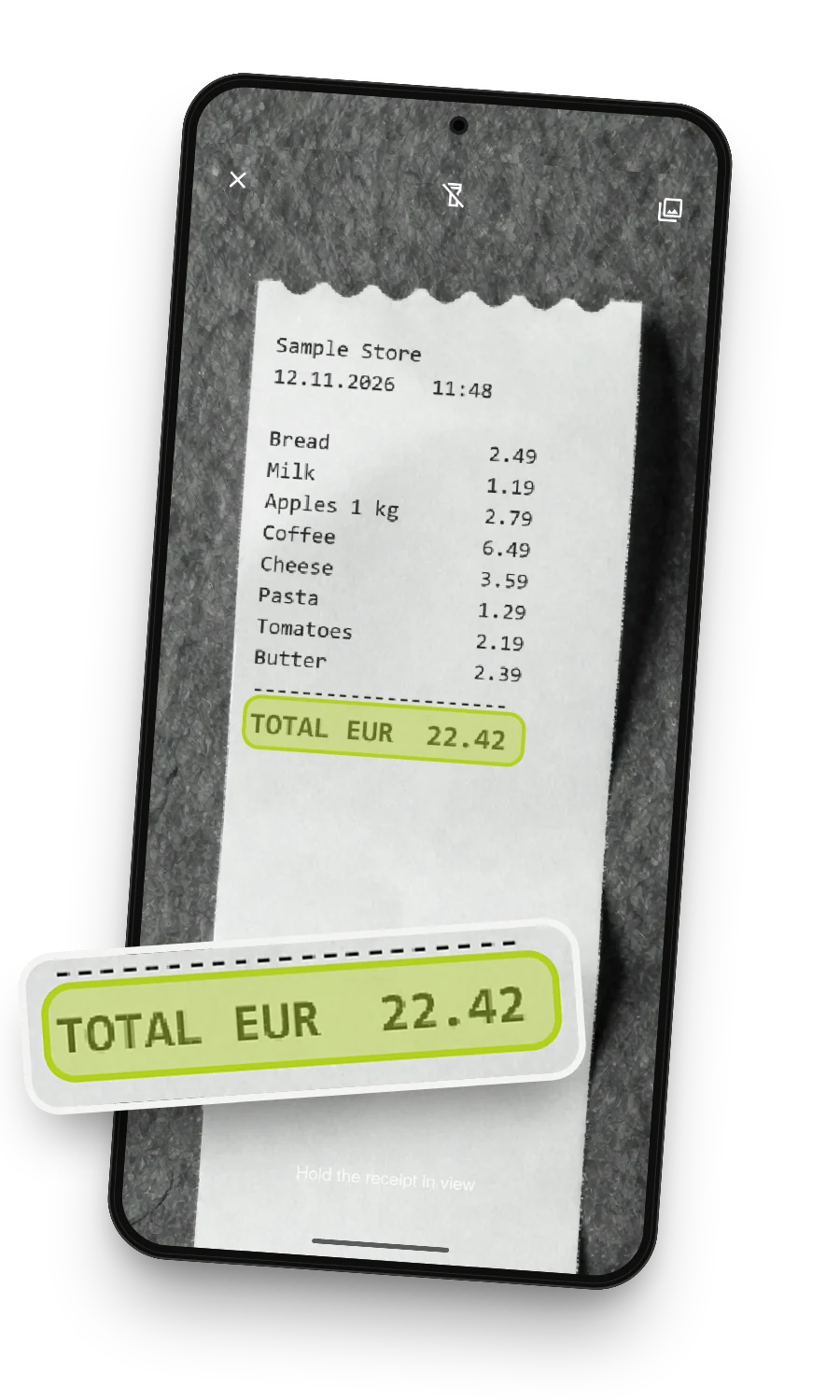
Questions
Do I have to keep every receipt?
No. For your budget, writing down the expense is enough. Only keep receipts you need for warranties, returns or taxes.
Is a photo enough for a warranty claim?
Often, but not always – the shop or manufacturer decides. Keep the original until the warranty period is over and the photo as a backup.
Can I get digital receipts instead?
Some shops offer receipts by app or email. That saves paper; for warranty cases, file the digital receipt like a scan.