 Stay
How to set an alarm every 30 minutes on Android
The clock apps on most Android phones repeat an alarm only by weekday, not every X minutes. You have three options: create several alarms, restart a timer each time, or use an interval alarm app.
Updated: 21 November 2026
Option 1: several alarms
Create one alarm for every half hour in the clock app. For one evening that is fine; for a whole night it gets long:
| Period | Interval | Alarms needed |
|---|---|---|
| 2 hours | 30 min | 4 |
| 8 hours (22:00–06:00) | 30 min | 16 |
| 8 hours | 15 min | 32 |
Downsides: lots of tapping, and the alarms keep ringing at fixed times even if you are wide awake. Afterwards you have to switch them all off again.
Option 2: restart a timer
- Open the clock app and go to Timer.
- Set 30:00 and start.
- When it rings, stop it and start it again.
Simple, but you have to restart it every time. If you forget once, nothing happens for the rest of the night.
Option 3: an interval alarm app
Interval alarm apps repeat on their own. Before you choose one, check three things:
- Does it ring with the screen off and the phone locked? Many apps only work in the foreground.
- Does it use exact alarms? Otherwise Android may delay it in power saving mode.
- What happens when you do not react? A simple repeating alarm rings for a while and then stops.
With the app
An interval alarm that asks first
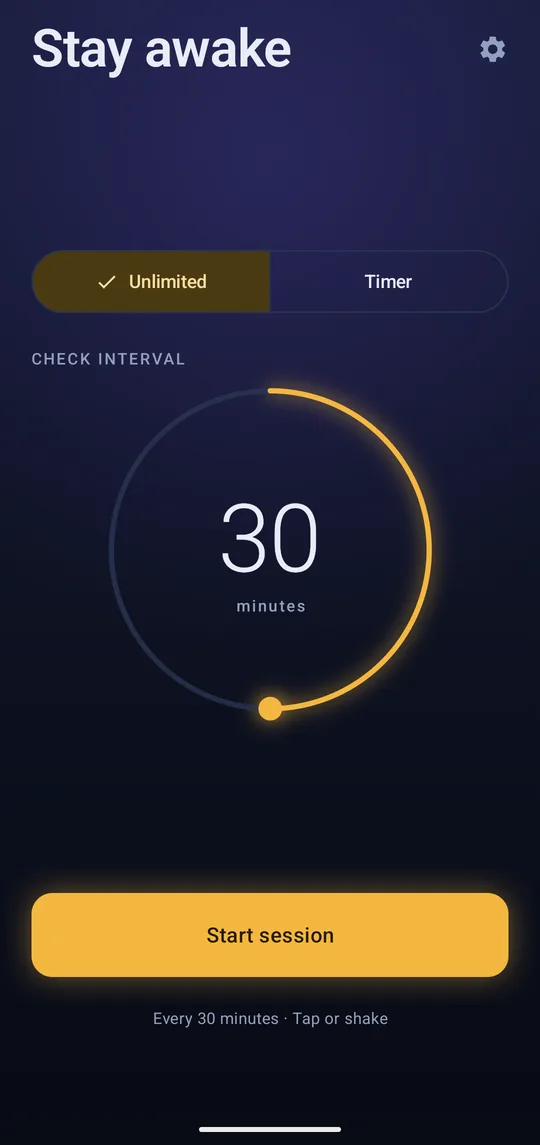
Stay Awake repeats at your interval – any value from one minute to twelve hours – and uses exact alarms. It does not ring straight away: first it asks quietly whether you are still awake. Answer, and the interval starts over from that moment. No answer: vibration after 10 seconds, alarm after 20.
So you are not woken up when you are awake – and you are not left alone when you are not.
Get it on Google PlayFree for Android · no account
Questions and answers
Can the Android clock app repeat an alarm every 30 minutes?
The clock apps on most Android phones repeat alarms by weekday only. For every 30 minutes you need several alarms, a timer or a separate app.
Why doesn’t my interval alarm ring when the screen is off?
Often battery optimisation or a missing permission for exact alarms is the cause. See Android alarm not going off.
Can I set an interval of 15 or 45 minutes?
In Stay Awake, yes: the dial goes from one minute to twelve hours. Other intervals without an app: interval alarm on Android.