 Stay
An alarm that checks if you are still awake
A normal alarm rings at a fixed time. A wake check asks at an interval whether you are still awake – and only gets loud if you do not answer. You confirm with a tap or a movement, and the next interval begins.
Updated: 21 November 2026
Alarm clock, repeating alarm, wake check
| Alarm clock | Repeating alarm | Wake check | |
|---|---|---|---|
| Rings when | At a fixed time | Every X minutes | Only without an answer |
| When you are awake | Rings anyway | Rings anyway | Quiet question, one tap |
| When you have nodded off | Rings once | Rings, then stops | Vibration, then alarm |
| Made for | Waking up | Reminders | Staying awake |
When a wake check helps
- Night shifts and standby with long quiet stretches.
- Study nights before an exam.
- Waiting through the night, for example for an early departure or a call.
- Watching over something – a process, a download, a sick pet.
In all these cases the risk is the same: you do not notice yourself drifting off. A wake check asks from outside – and gets loud when the answer does not come.
Without an app
You can build a simple version yourself: ask someone who is also awake to message you every 30 minutes and call if you do not answer. That works – as long as the other person stays awake.
What a wake check is not
It does not measure how tired you are, does not detect sleep and does not replace rest. It asks – the answer comes from you.
With the app
Stay Awake is a wake check
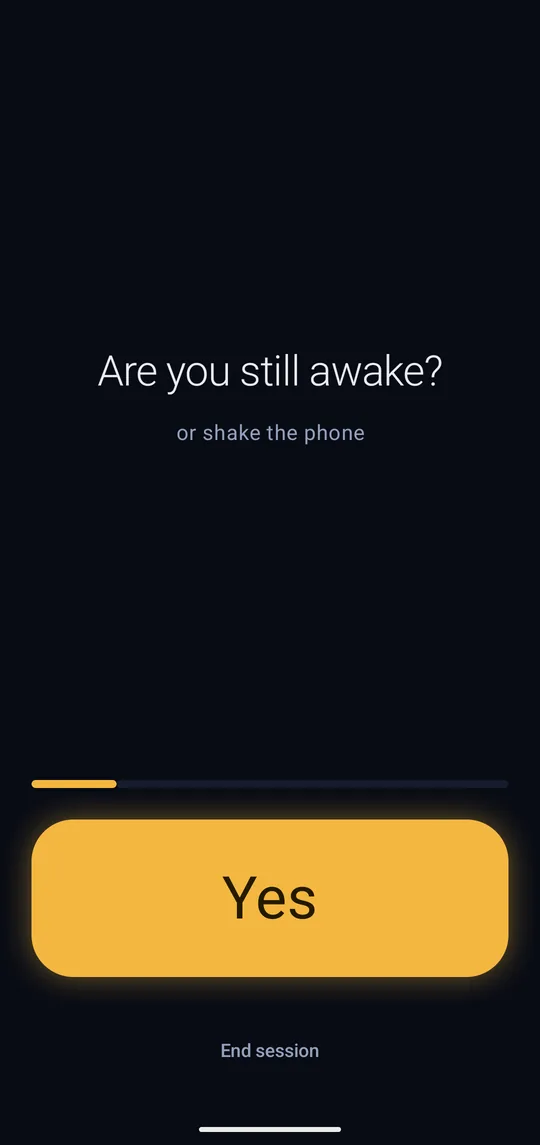
- 0 seconds: the screen asks “Are you still awake?” – over the lock screen too.
- 10 seconds: vibration.
- 20 seconds: alarm with your phone’s alarm sound.
Confirm with the big Yes button or – if you enable it in Settings – by shaking, flipping the phone or a volume button. Then the full interval starts again.
Get it on Google PlayFree for Android · no account
Questions and answers
Does a wake check app detect when I fall asleep?
No. Stay Awake does not use the camera or the microphone and measures nothing about you. It asks, and gets loud if no answer comes.
What if I confirm by accident?
A single jolt does not count as a shake – it takes a deliberate shake with at least two movements. You can also adjust the shake sensitivity in Settings.
Can I confirm before the question comes?
Yes. In Stay Awake you can confirm at any time; the interval then starts over from that moment.